Table of contents
Open Table of contents
Intro
In this article, I’ll be sharing with you how to use Bash aliases to save time and make your command line experience more efficient. With aliases, you can create short, memorable versions of long and complex commands. This way, you can easily execute the commands you use frequently without having to type out the whole thing every time. It’s a simple but powerful tool that can make a big difference in your workflow!
What’s Bash Alias?
Bash alias is a feature in the Bash shell (a command-line interface for Unix-based operating systems) that allows you to create a shortened version or alternate name for a frequently used command. When you create an alias, you can use the shortened or alternate name in place of the original command when executing it in the command line. This can save time and make it easier to remember frequently used com.
How Bash Alias can save you time ?
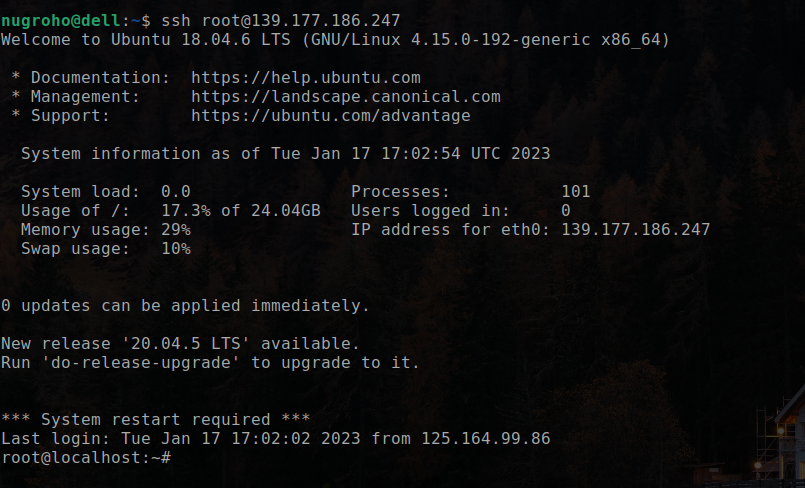
Let’s say you frequently use the command ssh root@myserver.com or ssh root@192.168.x to connect to your server. Every time you want to connect, you have to type that command out. That can be a hassle, especially if you have multiple servers to connect to and some of them don’t use a domain name, so you have to connect using an IP address. Remembering all those IP addresses can be difficult.
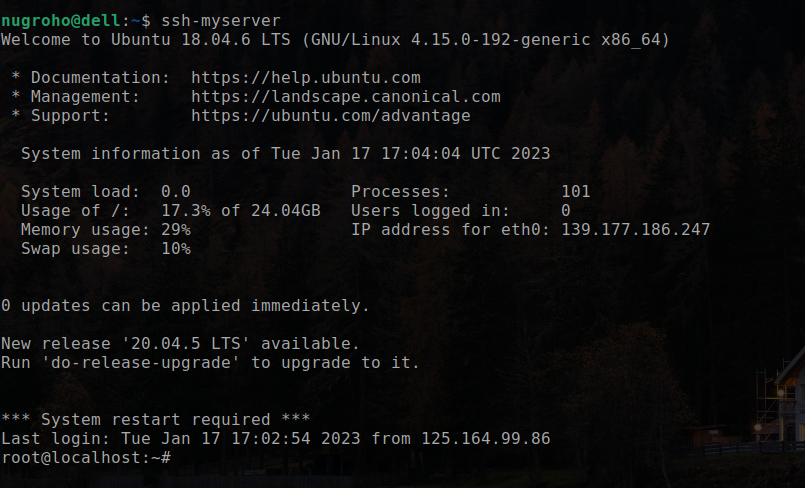
By using Bash aliases, you can easily create custom names for frequently used commands and save time and effort. You can use it not only for ssh command but also for any command that you use frequently.****
Without Bash Alias
With Bash Alias
How to create bash alias ?
To create bash alias you just need to create files in your home directory. The file name is .bash_aliases and the file location is ~/.bash_aliases. You can create the file using your favorite text editor. For example, you can use nano or vim to create the file.
below is the example of .bash_aliases file
alias ssh-myserver="ssh root@139.177.186.247"Then save the file. After that, you need to reload the .bashrc file. You can do that by running the command:
source ~/.bashrcNow you can use the alias you created by running the command:
ssh-myserverThat’s it! You can create as many aliases as you want. You can also create aliases for multiple commands
My Bash Alias
Here are some of my bash aliases that I use frequently
alias s="sudo"
alias ai="sudo apt-get install"
alias g="git"
alias doupdate="sudo apt-get update"
alias doupgrade="sudo apt-get upgrade"
alias v="nvim"
alias myssh="cat ~/.ssh/id_rsa.pub"
Conclusion
Use Bash aliases to save time and make your command line experience more efficient. With aliases, you can create short, memorable versions of long and complex commands. This way, you can easily execute the commands you use frequently without having to type out the whole thing every time. It’s a simple but powerful tool that can make a big difference in your workflow!